> ## Documentation Index
> Fetch the complete documentation index at: https://docs.masivo.ai/llms.txt
> Use this file to discover all available pages before exploring further.
# Teams
> Organize account members and restrict analytics visibility with teams.
Teams are account-scoped groups that control **who sees which resources in the dashboard**. They are separate from account membership (users on an account) and from roles (what actions a user can perform).
## Teams vs members vs roles
| Concept | Purpose |
| ----------- | --------------------------------------------------------- |
| **Members** | Users who belong to the account (`users_by_accounts`) |
| **Teams** | Organizational units for analytics scoping |
| **Roles** | Permissions (`read`, `write`, `delete`) per resource area |
A member can belong to multiple teams. A member with **no team assignments** (and who is not ADMIN or owner) only sees resources with empty `team_ids`.
## Entity team picker
When creating or editing a resource, use the **Teams** field to assign visibility:
* Select one or more teams to restrict analytics to those members.
* Choose **No teams** to leave `team_ids` empty so everyone can see the resource.
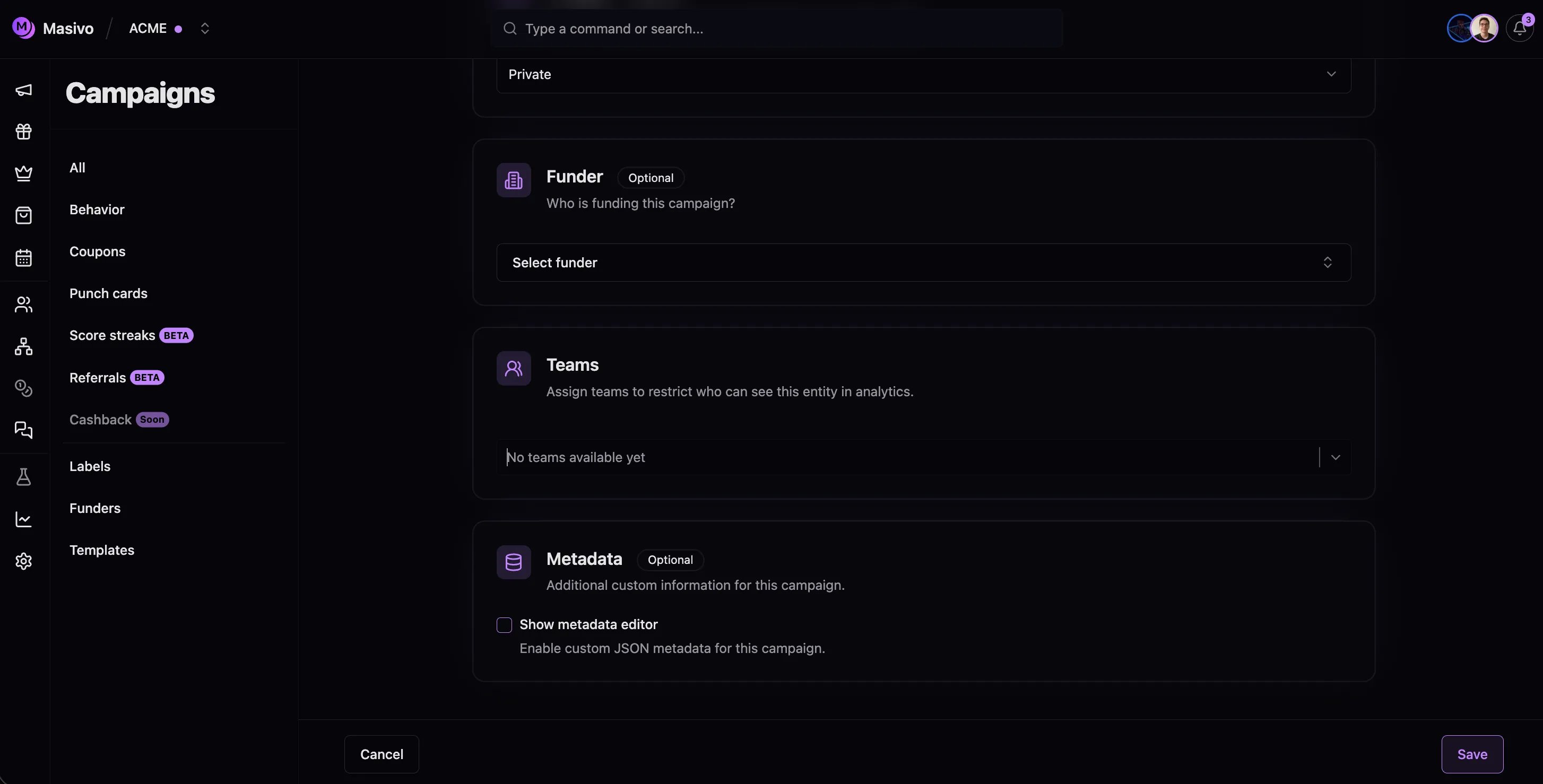 The picker lists only teams the current user belongs to (except ADMIN users, who see all teams).
## Dashboard navigation
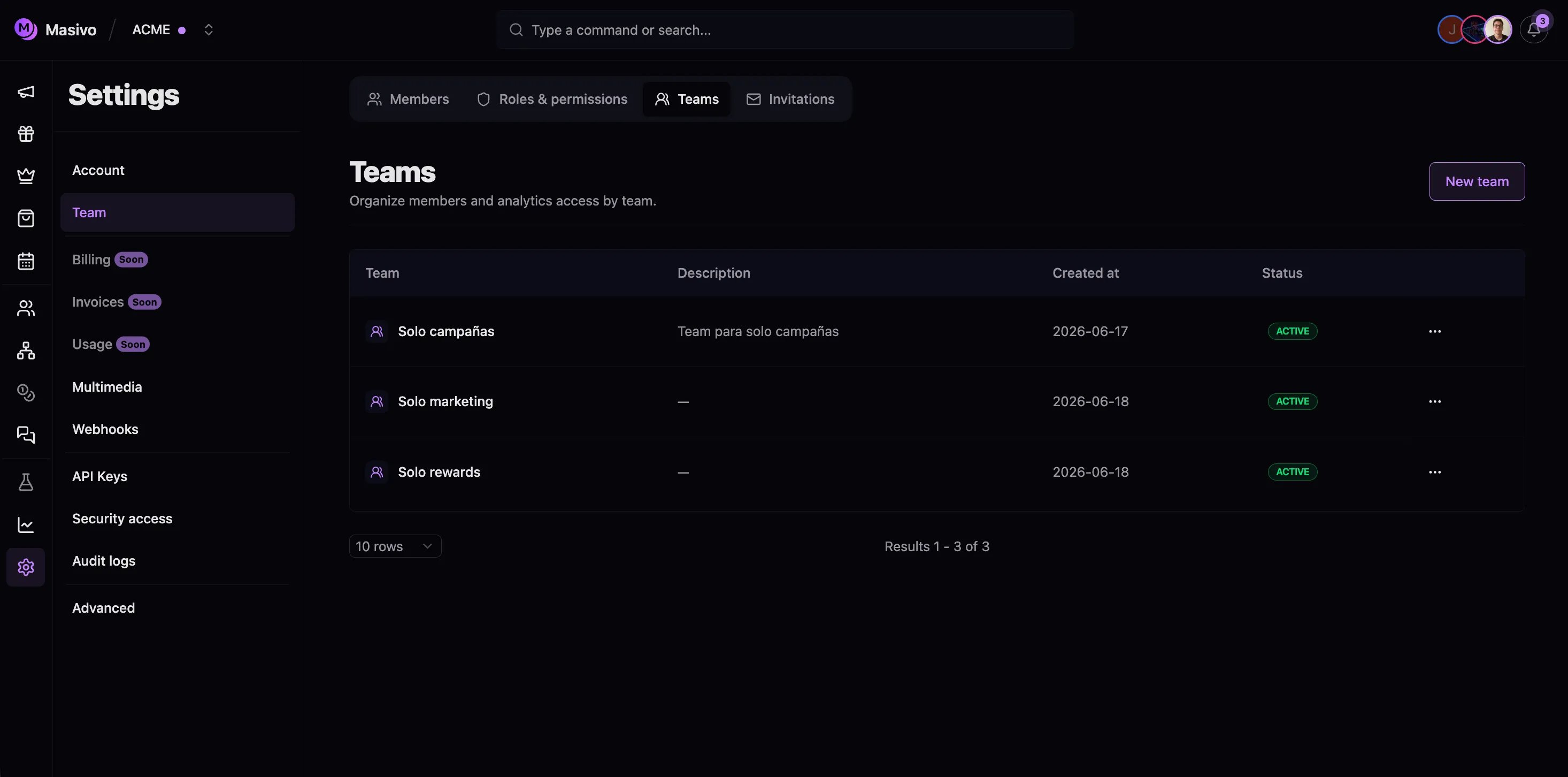
| Section | Path | Actions |
| ----------- | ----------------------- | ---------------------------------------------- |
| Members | `/settings/team` | Invite, assign roles and teams, remove members |
| Teams | `/settings/teams` | Create, edit, view team members |
| Roles | `/settings/roles` | Define custom permission sets |
| Invitations | `/settings/invitations` | Track pending invites |
The picker lists only teams the current user belongs to (except ADMIN users, who see all teams).
## Dashboard navigation
| Section | Path | Actions |
| ----------- | ----------------------- | ---------------------------------------------- |
| Members | `/settings/team` | Invite, assign roles and teams, remove members |
| Teams | `/settings/teams` | Create, edit, view team members |
| Roles | `/settings/roles` | Define custom permission sets |
| Invitations | `/settings/invitations` | Track pending invites |
 ## Permissions
| Action | Requirement |
| -------------------------------- | ------------------------------------ |
| View members, teams, invitations | Account member |
| Invite members | `settings:write` |
| Create / edit / delete teams | `settings:write` / `settings:delete` |
| Assign member teams | `settings:write` |
| Remove members | `settings:delete` |
The built-in **ADMIN** role has all permissions. Custom roles define per-resource access across 30+ areas (campaigns, rewards, marketing automation, and more).
## Invitations
Member invitations expire after **24 hours**. Recipients accept via `/auth/accept-invitation?id=…` after signing in with the invited email.
## Related documentation
* [Manage teams](/guides/manage-teams) — step-by-step dashboard guide
## Permissions
| Action | Requirement |
| -------------------------------- | ------------------------------------ |
| View members, teams, invitations | Account member |
| Invite members | `settings:write` |
| Create / edit / delete teams | `settings:write` / `settings:delete` |
| Assign member teams | `settings:write` |
| Remove members | `settings:delete` |
The built-in **ADMIN** role has all permissions. Custom roles define per-resource access across 30+ areas (campaigns, rewards, marketing automation, and more).
## Invitations
Member invitations expire after **24 hours**. Recipients accept via `/auth/accept-invitation?id=…` after signing in with the invited email.
## Related documentation
* [Manage teams](/guides/manage-teams) — step-by-step dashboard guide