> ## Documentation Index
> Fetch the complete documentation index at: https://docs.masivo.ai/llms.txt
> Use this file to discover all available pages before exploring further.
# Marketing automation settings
> Configure Links, Email, Push, and WhatsApp settings for marketing automation in Masivo
## What you'll learn
By the end of this guide, you'll know how the **Marketing Automation >
Settings** area is organized and where to configure each channel before running
campaigns.
## Settings tabs overview
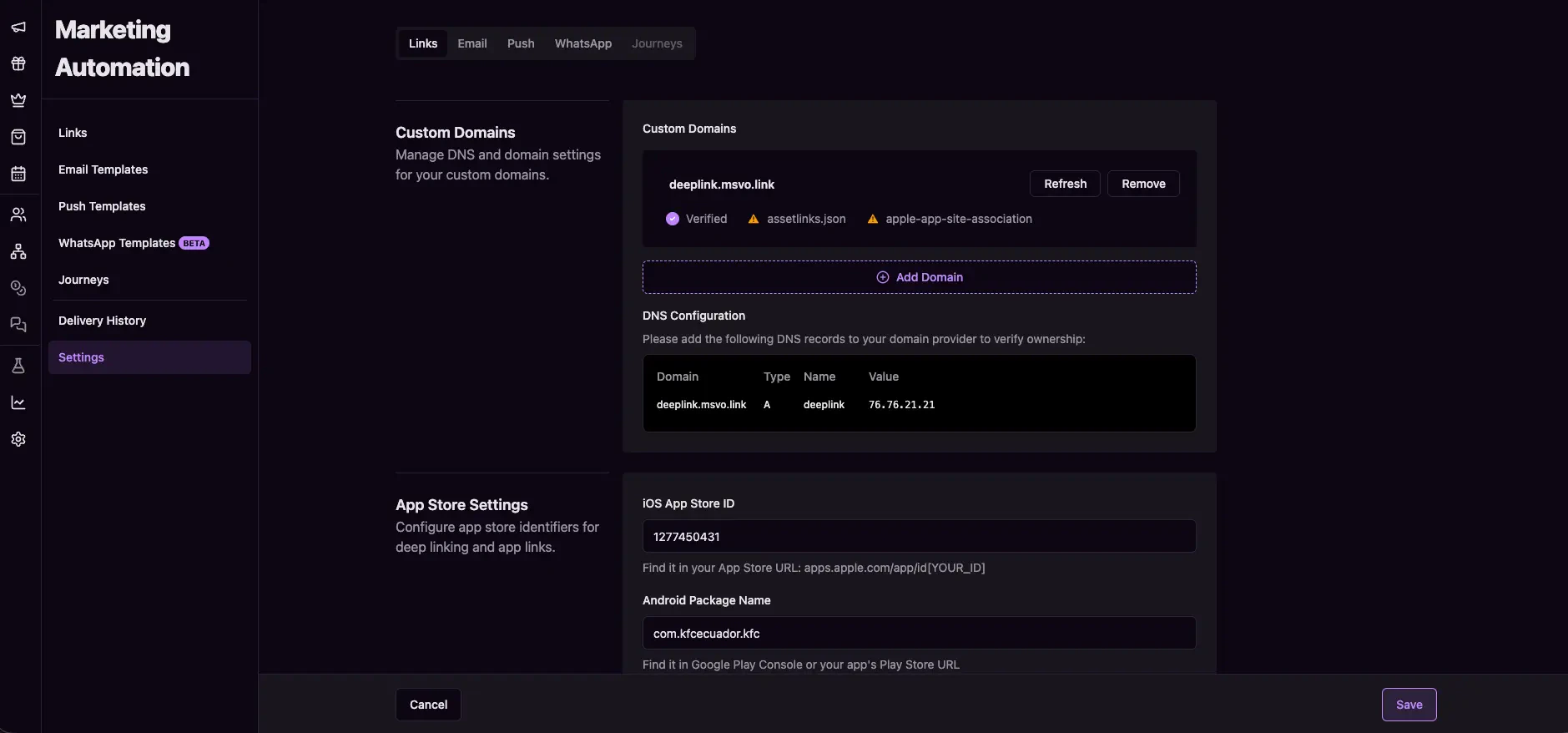
In the dashboard, go to **Marketing Automation > Settings**.
You will find four active tabs:
* **Links**
* **Email**
* **Push**
* **WhatsApp**
The **Journeys** tab appears in the UI but is currently disabled for settings
configuration.
 ## Configure each channel
Use these guides based on the channel you want to configure:
Configure custom domains, redirects, app store IDs, and QR branding.
Configure email domains, footer templates, and email tracking options.
Upload Firebase credentials and configure device token duration.
Configure WhatsApp credentials, webhook URL, and business logo.
## Recommended order
For most teams, this sequence works best:
1. Configure **Links settings** first (custom domains and redirects).
2. Configure **Email**, **Push**, and **WhatsApp** based on channels you use.
3. Create templates and run tests before scheduling campaigns.
## Next steps
* Configure [Links settings](/guides/settings/links)
* Configure [Email settings](/guides/settings/email)
* Configure [Push settings](/guides/settings/push)
* Configure [WhatsApp settings](/guides/settings/whatsapp)
## Configure each channel
Use these guides based on the channel you want to configure:
Configure custom domains, redirects, app store IDs, and QR branding.
Configure email domains, footer templates, and email tracking options.
Upload Firebase credentials and configure device token duration.
Configure WhatsApp credentials, webhook URL, and business logo.
## Recommended order
For most teams, this sequence works best:
1. Configure **Links settings** first (custom domains and redirects).
2. Configure **Email**, **Push**, and **WhatsApp** based on channels you use.
3. Create templates and run tests before scheduling campaigns.
## Next steps
* Configure [Links settings](/guides/settings/links)
* Configure [Email settings](/guides/settings/email)
* Configure [Push settings](/guides/settings/push)
* Configure [WhatsApp settings](/guides/settings/whatsapp)