Learn how to transfer Masivo account ownership to another admin member
Account ownership transfer lets the current owner hand the account to another ADMIN member without downtime. The recipient must accept the transfer via email.
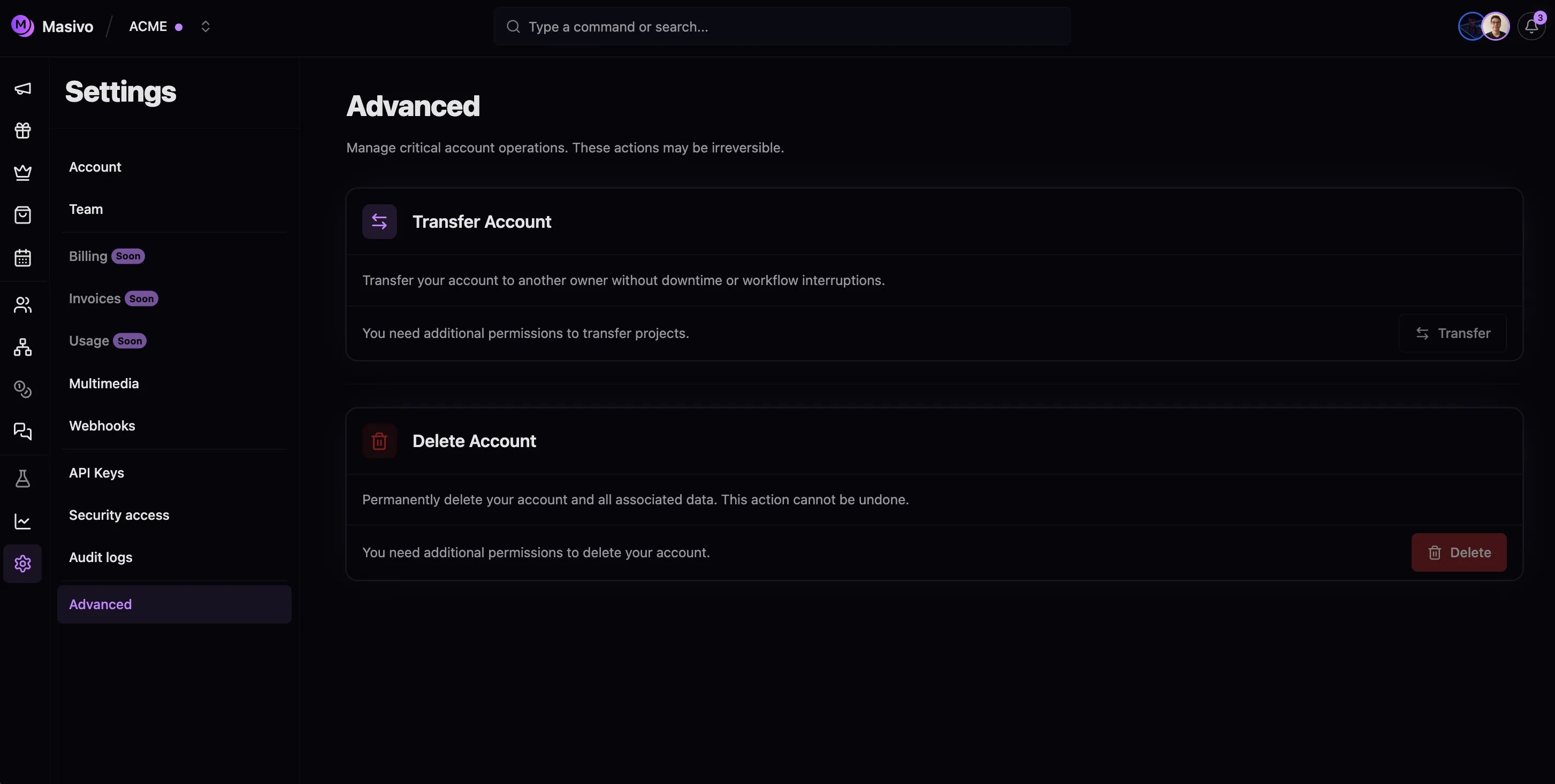
Navigate to Settings → Advanced (/settings/advanced).
2
Start transfer
In the Transfer Account section, click Transfer. The button is disabled if you are not the owner.
Transfer account section
3
Select the new owner
Choose an ADMIN member from the list. The current owner and non-admin members are excluded.
4
Confirm
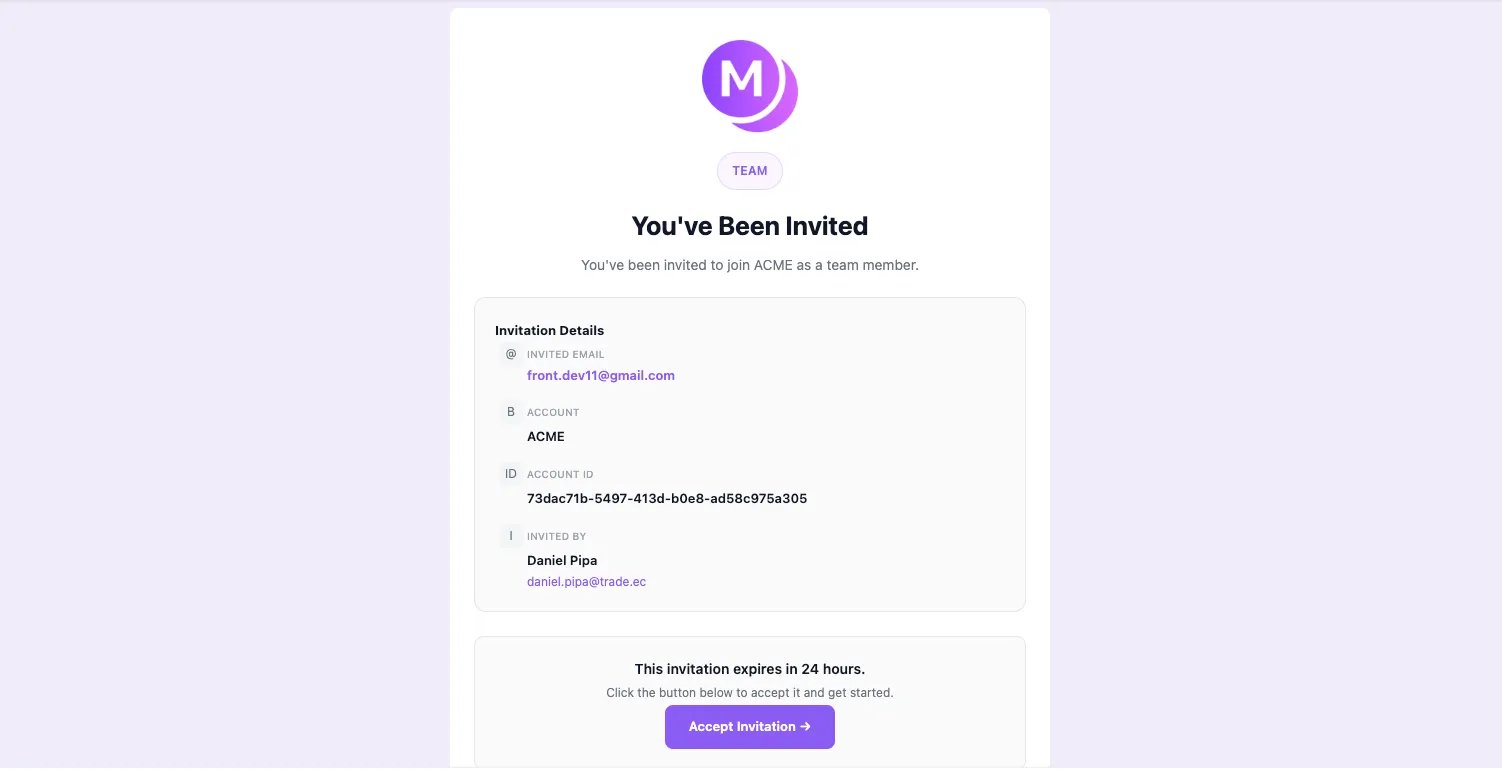
Masivo sends an ownership transfer email to the selected admin. The invitation expires after 24 hours.
5
Recipient accepts
The recipient opens the link in the email and lands on /auth/accept-invitation?id=…. They must sign in with the invited email address.
Ownership transfer invitation email
6
Ownership updates
On acceptance, accounts.owner_id updates to the new owner. Both the previous and new owner receive confirmation emails. The recipient is redirected to the dashboard with the account cookie set.